Back to Notifications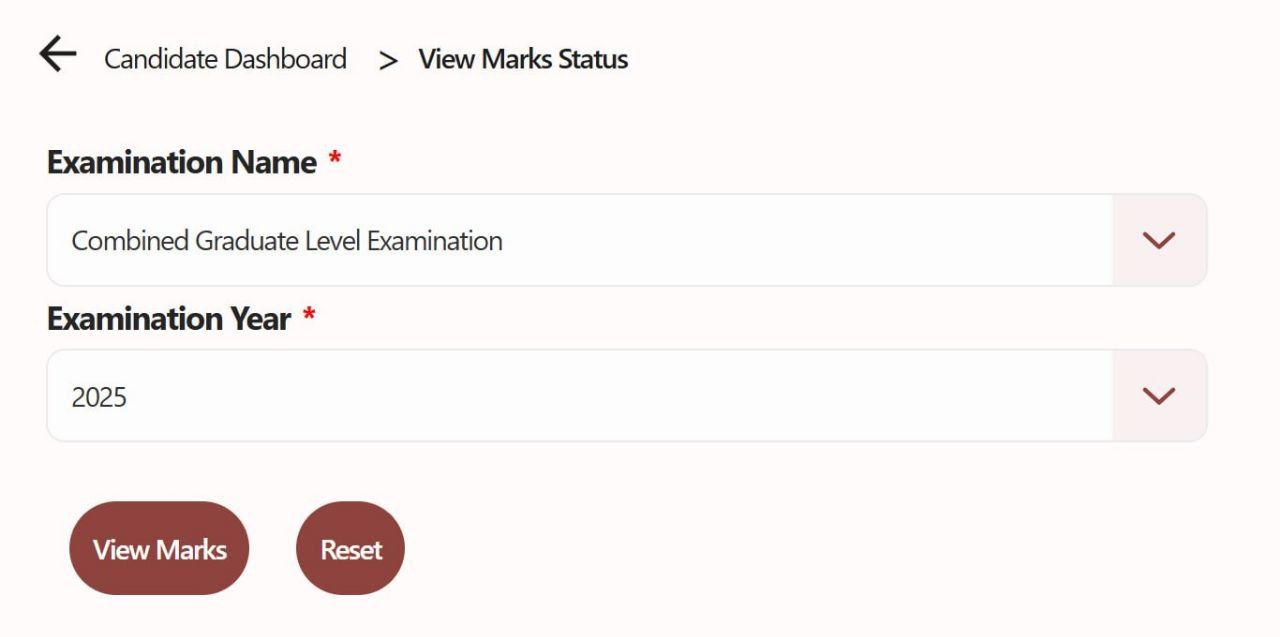
Government Job Results
SSC CGL 2025 Tier-1 Scorecard & Marks Out Soon: How to Check and Download
Posted on January 7, 2026
Expires: January 31, 2026
The Staff Selection Commission (SSC) is all set to release the individual scorecards and marks for the Combined Graduate Level (CGL) 2025 Tier-1 Examination. Following the recent declaration of the Tier-1 results, candidates are eagerly waiting to see their normalized scores and section-wise performance.
SSC CGL 2025 Scorecard: Overview
The Tier-1 exam is the first step in the recruitment process for Group B and Group C posts in various Ministries and Departments of the Government of India. The scorecard will display the raw marks obtained by the candidate as well as the Normalized Marks.
Organization | Staff Selection Commission (SSC) |
Exam Name | Combined Graduate Level (CGL) 2025 |
Stage | Tier-1 (Preliminary) |
Status | Scorecard Releasing Soon |
Credentials Needed | Registration Number & Password |
Official Website |
Important Dates
Tier-1 Result Date: Coming Soon
Scorecard Release Date: Expected shortly after result declaration.
Last Date to Download: Typically available for only 15–30 days from the date of release.
How to Download SSC CGL 2025 Tier-1 Scorecard
Follow these simple steps to access your marks on the new SSC portal:
Visit the Official Website: Go to the new SSC official website: ssc.gov.in.
Login to your Dashboard: On the right-hand side of the homepage, enter your Registration Number and Password (and the Captcha code).
Navigate to Results/Marks: Once logged in, look for the tab labeled "Result/Marks" on your candidate dashboard.
Select Examination: From the drop-down menu, select "Combined Graduate Level Examination 2025".
Submit and View: Click on the Submit button. Your scorecard, including your raw score and normalized score, will appear on the screen.
Download & Print: Save the PDF and take a printout for your future reference and Tier-2 preparation.
Direct Link to Check Marks
You can access the login portal directly by clicking the link below: https://ssc.gov.in/home/candidate-result
(Note: The link will become active for marks the moment the official notification is uploaded by the Commission.)
What Details are Mentioned on the Scorecard?
Your SSC CGL Scorecard will contain the following information:
Candidate’s Name
Roll Number & Registration Number
Category (UR/OBC/SC/ST/EWS)
Section-wise Marks (Reasoning, GA, Maths, English)
Raw Score
Final Normalized Score
Qualification Status for Tier-2
Important Note for Candidates
The marks are usually available for a limited period (approx. one month). Candidates are advised to download and save their scorecards immediately to avoid any last-minute technical glitches on the server.
If you have forgotten your password, use the "Forgot Password" link on the login page to reset it using your registered mobile number or email ID.